TV unit design ideas that balance storage, comfort, and style
a[data-rs-seo-link]{text-decoration:underline!important;color:#1a56db!important;cursor:pointer!important;}a[data-rs-seo-link]{text-decoration:underline!important;color:#1a56db!important;cursor:pointer!important;}
A good TV unit design does more than support a screen. It defines the visual center of the living room, controls cables and devices, improves viewing comfort, and gives the wall a more finished architectural look. The strongest plans start with room measurements, seating distance, storage needs, wall construction, and television size before moving on to materials or decorative details. Current home design reporting and guidance from organizations and platforms such as NKBA, Houzz, CEDIA, and the U.S. Consumer Product Safety Commission point in a practical direction: cleaner built-ins, smarter storage, better technology planning, warmer materials, and safer installation. For more ideas across home interiors, visit our Furniture Design section.
Start with the room, not the cabinet
The most common mistake in TV unit planning is choosing an attractive cabinet before checking whether it works with the room. A media wall should be designed around how people sit, watch, move through the space, and store everyday items. Before selecting a finish or style, measure the wall width, seating distance, sofa seat height, nearby windows, door swings, radiator positions, electrical outlets, and any structural limits behind the wall.
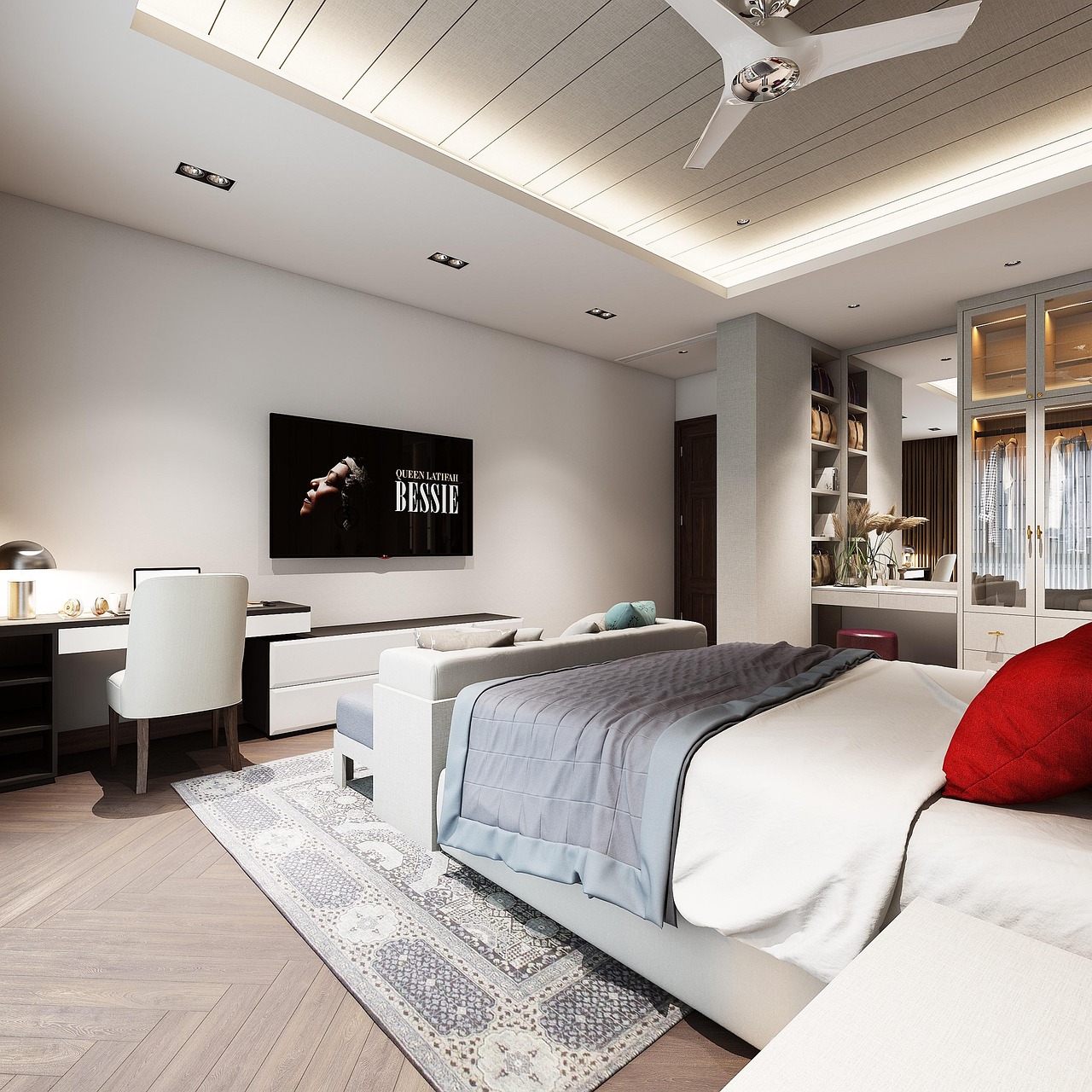
Viewing comfort should guide the mounting height. In most living rooms, the center of the screen feels best when it is close to seated eye level. The exact position depends on sofa height, screen size, and whether viewers sit upright or recline. A TV mounted too high may look dramatic in a showroom, but it can create neck strain in daily use. If the screen must sit above a fireplace or tall console, consider a lower mantel design, a tilting mount, or a different wall if the viewing angle feels uncomfortable.
Distance matters as well. Industry viewing guidance often refers to field of view rather than one fixed distance. A practical planning range is to choose a TV large enough to feel immersive without overpowering the room. For mixed everyday use, many homeowners find that a 55-inch screen works well at roughly 5.5 to 7.5 feet, a 65-inch screen at roughly 6.5 to 9 feet, and a 75-inch screen at roughly 7.5 to 10.5 feet. These are planning ranges, not rules, because personal preference, resolution, and content type all affect comfort.
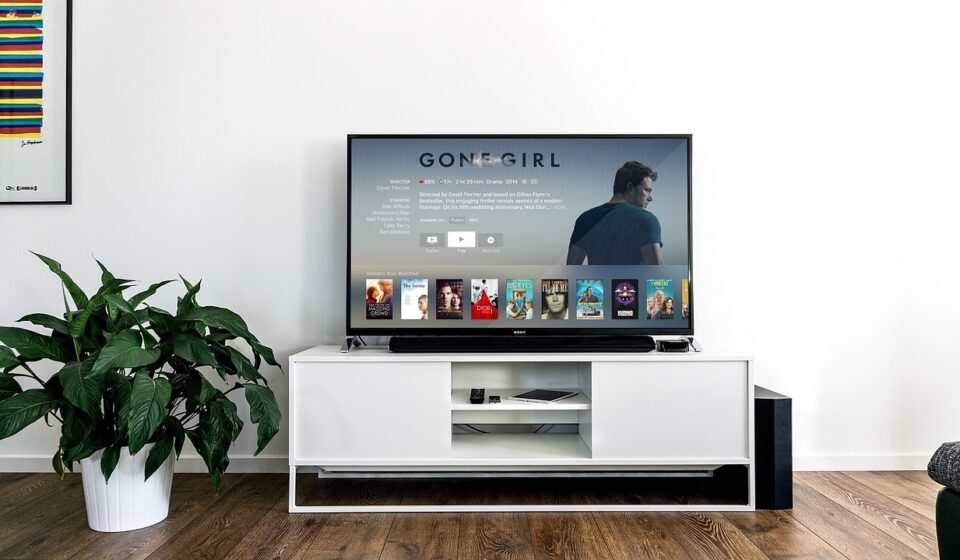
Proportion is the second major decision. A console or wall unit usually looks more balanced when it is wider than the TV rather than exactly the same width. A narrow cabinet under a wide screen can make the television appear top-heavy, while an oversized unit can dominate a small room. As a starting point, allow visual breathing room on both sides of the screen and align the unit with nearby architectural lines such as windows, niches, beams, or shelving.
Choose the right type of TV unit design
There is no single best TV unit design for every home. The right format depends on the wall, room size, storage requirements, and whether the home is rented or owned. A compact apartment may need a lightweight floating console, while a family living room may benefit from a full-height media wall with closed storage.
| Design type | Best suited for | Planning caution |
|---|---|---|
| Floating TV console | Small and modern rooms where floor space should feel open | Requires secure wall fixing and careful cable routing |
| Floor-standing TV cabinet | Flexible layouts, rental homes, and rooms that may change later | Can look bulky if the depth is too great |
| Full media wall | Large living rooms, open-plan spaces, and homes needing major storage | Needs careful proportioning so it does not overpower the room |
| Built-in shelving around the TV | Rooms where books, objects, and display storage are part of the design | Open shelves require editing to avoid visual clutter |
| Corner TV unit | Rooms with limited wall space or awkward window positions | Can create angled viewing if seating is not planned well |
| Room-divider media unit | Open-plan homes where the TV helps define zones | Needs cable access, stability, and clean finishing on both sides |
A floating TV unit is popular because it makes cleaning easier and keeps the floor visually open. It works especially well with flat-panel screens and minimalist rooms. However, it should not be treated as a light decorative shelf. The wall must be able to carry the load, and the installer should confirm the fixing method, especially with masonry, drywall, or metal studs.
A full media wall offers the most storage and the strongest architectural effect. It can combine closed base cabinets, vertical side storage, open niches, acoustic paneling, display shelves, and integrated lighting. The challenge is restraint. A media wall should frame the TV, not compete with it. If every surface has a shelf, handle, light strip, or texture, the wall can become visually noisy.
Plan storage, cables, and technology before choosing finishes
Storage is one of the main reasons to invest in a proper TV unit. Recent home design trend reports have repeatedly emphasized better organization, multifunctional layouts, and more integrated technology across connected living spaces. In a living room, that means media furniture should hide equipment where possible while keeping it easy to reach, cool, and service.
Start with a simple inventory. List every item that must live in or near the TV unit: streaming boxes, game consoles, routers, soundbars, speakers, remote controls, charging cables, board games, books, photo albums, children’s toys, seasonal decor, and cleaning accessories. Then divide the list into items that need open access, items that need ventilation, and items that can be hidden behind closed doors.
- Use closed storage for visual clutter. Remotes, chargers, controllers, and toys are easier to manage behind drawers or doors.
- Use open shelves selectively. Open display areas work best for a few larger objects rather than many small pieces.
- Keep equipment ventilated. Game consoles, amplifiers, and some media devices generate heat and should not be sealed into tight compartments.
- Allow service access. Removable back panels, cable grommets, and reachable outlets make future upgrades easier.
- Separate power and display planning. If new outlets, recessed boxes, or in-wall wiring are needed, use a qualified electrician or installer.
Cable management should be designed, not improvised. A clean TV wall usually needs a planned route between the screen, power source, media devices, speakers, and network equipment. In a new build or renovation, cables can often be concealed inside the wall or cabinet structure. In an existing room, surface raceways, rear cable channels, and fabric cable sleeves may be more realistic. The goal is not only to hide cables on installation day, but also to keep the system maintainable when the TV, console, or router changes.
Materials and finishes that age well
The best TV unit finishes are calm enough for daily living but detailed enough to make the wall feel designed. Warm wood tones, matte painted finishes, stone-look panels, ribbed glass, slim metal trims, and textured wall panels can all work when they support the room’s overall palette.
Wood veneer and wood-look laminates remain useful because they add warmth around a large black screen. Light oak, walnut, ash, and smoked wood tones can soften a modern media wall without making it feel rustic. Painted MDF or lacquered cabinetry gives a cleaner built-in look and can match wall colors for a more seamless result. For high-use family spaces, durability and cleanability should matter as much as appearance.
Paneling is another strong design tool. Vertical slats, fluted panels, reeded textures, and broad flat wall panels can help the TV area feel intentional even when storage is minimal. The key is scale. Narrow slats can look busy behind a large screen, while wider panels may feel calmer in a large room. If a soundbar or speakers are part of the setup, avoid blocking audio with dense decorative surfaces unless the system is planned with an installer.
Stone and stone-look surfaces can add a premium look, especially as a backdrop panel or low shelf detail. They should still be used with restraint. A heavy stone feature, glossy finish, and oversized TV can make a living room feel more like a commercial lobby than a comfortable home. Matte textures, soft veining, and balanced proportions usually age better than highly dramatic surfaces chosen only for impact.
Design details that make the wall look intentional
A TV is visually difficult because it is a large dark rectangle. Good furniture design reduces that contrast by giving the screen a clear frame, surrounding it with balanced negative space, and connecting it to the rest of the room. The unit should feel like part of the architecture, not a screen placed on a random cabinet.
One reliable approach is to create a strong horizontal base. A long, low console grounds the screen and gives the room a calm line. This works well in contemporary interiors and can help a narrow room feel wider. Another approach is to create a vertical frame with side cabinets or shelving, which is useful on wide walls where a TV alone would look lost. See also: Building Materials.
Asymmetry can also work. A TV placed slightly off center with shelving or a tall cabinet on one side can feel more relaxed than a perfectly symmetrical wall. The important point is balance. If one side has tall storage, the other side may need artwork, lighting, a plant, or open space to keep the composition from feeling accidental.
Lighting should support the wall rather than distract from the screen. Soft LED strips under a floating console, warm lighting inside selected shelves, or wall washing above paneling can add depth. Avoid bright lights directly behind or beside the screen if they create glare. Dimmable lighting is especially useful because the room may need one mood for entertaining and another for watching films.
Soundbar placement should be planned early. A soundbar usually performs best when it faces the viewer and is not trapped inside a deep shelf. If it sits below the TV, allow enough height between the console and screen. If it is integrated into the cabinet, use an acoustically suitable grille or open front rather than a solid door that blocks sound.
Safety, durability, and installation checks
TV unit design is not only about style. Large screens, tall furniture, heavy drawers, glass shelves, and wall-mounted cabinets all carry safety considerations. The U.S. Consumer Product Safety Commission has long warned about furniture and television tip-over hazards and advises anchoring TVs and furniture where appropriate. In 2023, the CPSC also adopted ASTM F2057-23 as a mandatory safety standard for clothing storage units under the STURDY Act. That rule is focused on clothing storage furniture, but it reinforces a broader point for media areas: stability should be planned, not assumed.
For any TV unit, confirm the weight rating of the cabinet, mount, wall anchors, and shelves. A freestanding cabinet should sit level and stable. Tall side units should be secured according to manufacturer instructions. Wall-mounted consoles should be fixed into suitable structure, not simply attached to weak wallboard. If children are in the home, avoid climbable drawer arrangements, unstable open shelving, and loose screens placed on narrow surfaces.
Durability also depends on everyday details. Choose hinges and drawer runners that can handle frequent use. Use finishes that can be cleaned without visible damage. Check that cabinet doors can open without hitting speakers, curtains, or adjacent walls. If the unit includes glass, use appropriate safety glass and avoid sharp exposed corners in high-traffic family rooms.
Ventilation is another practical safety issue. Media devices should not be packed tightly into sealed compartments. Heat buildup can shorten the life of electronics and make the unit inconvenient to use. Leave air gaps, use ventilated backs where needed, and avoid placing high-heat devices directly against delicate finishes.
Common planning mistakes to avoid
Many TV unit problems are not caused by poor style choices, but by missed practical checks. A design can look excellent in a drawing and still fail in real use if the screen is uncomfortable, the cables are visible, or the drawers cannot hold what the household actually uses.
- Mounting the TV too high. This is especially common above fireplaces and tall cabinets.
- Choosing a unit that is too narrow. The TV can look visually heavy if the base is smaller than the screen.
- Ignoring glare. Windows and glossy finishes can reflect light onto the screen.
- Forgetting ventilation. Consoles, receivers, and routers need airflow.
- Designing only for today’s devices. Leave extra cable routes and shelf space for future upgrades.
- Overfilling open shelves. A few well-scaled objects usually look better than many small accessories.
- Blocking sound. Speakers and soundbars should not be hidden behind solid cabinet fronts.
- Skipping anchoring and weight checks. Safety hardware is part of the design, not an afterthought.
The simplest way to avoid these mistakes is to make a wall elevation before ordering furniture. Mark the TV size, console height, shelf lines, outlet positions, speaker locations, and door swings. Even a basic scaled sketch can reveal problems that are hard to see from product photos alone.
Frequently asked questions
What is the ideal height for a TV unit?
The ideal height depends on the sofa, screen size, and viewing position. As a practical rule, the center of the TV should be close to seated eye level for comfortable everyday viewing. If the unit is mainly decorative and the TV is mounted higher, test the viewing angle from the actual sofa before committing.
Should a TV unit be wider than the TV?
In most rooms, yes. A unit that is wider than the TV creates a stronger visual base and makes the screen feel more balanced. The exact width depends on wall size, but leaving space on both sides of the screen usually looks more intentional than matching the cabinet exactly to the TV width.
Is a floating TV unit better than a floor-standing cabinet?
A floating unit can make a room feel lighter and more modern, but it requires secure wall fixing and planned cable management. A floor-standing cabinet is more flexible and easier to move, making it useful for rental homes or rooms that may be rearranged. The better choice depends on the wall structure and how permanent the layout should be.
What materials work best for a modern TV unit design?
Durable matte finishes, wood veneer, quality laminates, painted MDF, metal accents, ribbed glass, and restrained stone-look panels can all work well. The best material is one that fits the room’s style, handles daily use, and does not create distracting glare around the screen.
How do I make a TV wall look less cluttered?
Use closed storage for small items, keep open shelves lightly styled, plan cable routes before installation, and choose a simple material palette. A strong horizontal console, concealed wiring, and a few larger decorative objects usually create a cleaner result than many small shelves and accessories.