TV unit furniture design ideas that balance screen size, storage, and safety
a[data-rs-seo-link]{text-decoration:underline!important;color:#1a56db!important;cursor:pointer!important;}a[data-rs-seo-link]{text-decoration:underline!important;color:#1a56db!important;cursor:pointer!important;}
A practical way to design a TV unit
Effective TV unit furniture design starts with the room, viewing position, and installation constraints, not with a catalog image. The unit needs to set the screen at a comfortable height, hold media equipment and everyday storage, keep cables reachable, allow heat to escape, and reduce tip-over risk. A wall unit can look clean in a drawing and still fail in use if it blocks ports, traps heat, or places a large screen too high.
A practical sequence is to confirm screen size and viewing distance first, choose the mounting or console type second, plan storage and cable paths third, and then refine materials, lighting, and decorative styling. This guide focuses on living rooms, apartments, family rooms, and compact media spaces. For more home and furnishing ideas, explore the Furniture Design section.
Start with screen size and viewing distance
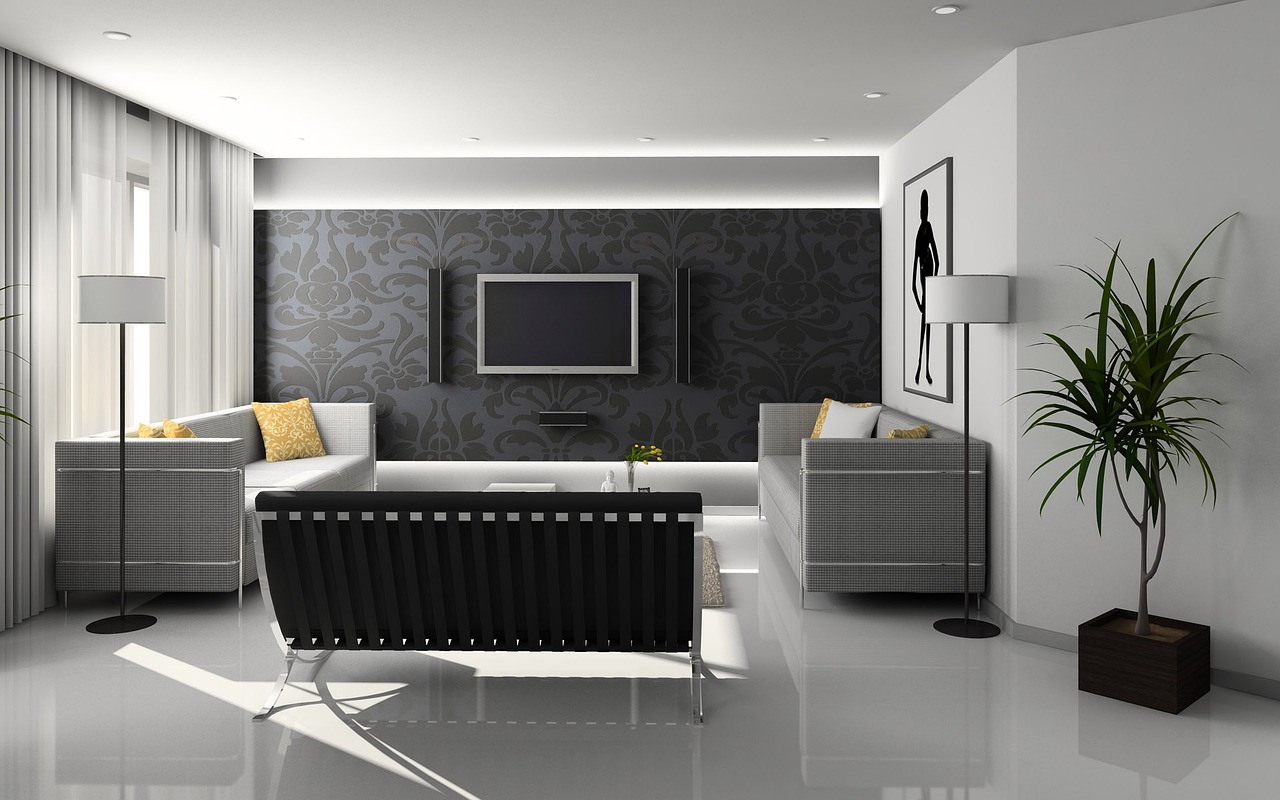
The TV is the visual anchor, so the furniture around it should be sized around the actual screen, not only the available wall. Width, height, depth, and shelf positions all change when a household moves from a 55-inch screen to a 75-inch or 85-inch screen. A unit designed only to fill the wall may look balanced before installation but feel cramped once the screen, soundbar, speakers, and cable runs are in place.
A useful starting point is field of view. The Society of Motion Picture and Television Engineers is commonly cited for a minimum 30-degree field of view for mixed viewing, while many cinema-style recommendations move closer to 40 degrees. RTINGS, using this field-of-view method, lists approximate mixed-use viewing distances of about 7 feet 5 inches for a 55-inch TV, 8 feet 10 inches for a 65-inch TV, and 10 feet 2 inches for a 75-inch TV. These figures are planning guides rather than fixed rules, but they help avoid two common problems: choosing a screen that feels too small in a long room, or building a unit around a screen that overwhelms a short viewing distance. (rtings.com)
Use wall width as the second check
After viewing distance, check the wall composition. The unit should give the screen breathing room on both sides, especially where speakers, sconces, shelves, or vertical panels are part of the design. A narrow console under a wide TV can look top-heavy. A full-width built-in around a small TV can make the screen look incidental. In most rooms, the furniture should extend beyond the screen width enough to create a stable horizontal base.
Place the center of the screen for seated comfort
Viewing height is where many TV units become uncomfortable in daily use. Manufacturer guidance varies by model and room type, but the basic principle is consistent: design around seated eye level when sofa viewing is the main activity. Samsung support suggests measuring from the floor to the viewer’s eye level from the favorite seat; it also gives 42 inches from the floor to the screen center as an approximate seated-eye-level reference for a person around 5 feet 6 inches tall. If furniture below the TV requires more clearance, Samsung notes that mounting the screen about 4 to 6 inches above the furniture may be appropriate. (samsung.com)
Choose the right type of TV unit for the room
There is no single correct layout. The right TV unit depends on rental restrictions, wall structure, storage requirements, and whether the screen is stand-mounted or wall-mounted. The three most common categories are floating units, freestanding consoles, and full wall units.
Floating TV unit
A floating unit is fixed to the wall and keeps the floor visually open. It suits compact apartments, narrow living rooms, and modern interiors where a lighter profile is important. Its main advantage is visual calm: the cabinet can hide cables and provide drawers without becoming a bulky block. The limitation is installation. The wall must be able to support the cabinet, and the design needs a clear plan for outlets, cable exits, and device access before it is installed.
Freestanding media console
A freestanding console is flexible and easier to replace. It works well for renters, multifunctional rooms, and homes where the TV may move later. Look for a low, stable form with closed storage for clutter and open or ventilated sections for electronics. If the TV sits on the console rather than the wall, the top surface must be deep enough for the TV feet and wide enough to keep the screen from feeling visually unstable.
Full wall unit or media wall
A full wall unit frames the TV with shelves, panels, cabinets, or a fireplace wall. It can add significant storage and make the screen feel integrated into the architecture. The risk is overbuilding. Deep cabinets around a large screen can make the TV feel recessed, complicate soundbar placement, and restrict ventilation. A safer design keeps the central screen zone clean, with storage placed to the sides and below rather than crowded tightly around the TV.
Plan storage, cables, ventilation, and access together
A TV unit is a technical furniture piece, even when the finished wall looks decorative. Cable routing, device heat, Wi-Fi equipment, gaming consoles, remotes, batteries, and streaming boxes all need a defined place. If these details are left until the end, the finished unit often ends up with visible cords, improvised holes, or doors that stay open because devices overheat.
Separate display storage from daily storage
Divide the unit into three zones. The display zone includes the TV, soundbar, and possibly speakers. The media zone includes routers, streaming boxes, gaming consoles, controllers, and charging points. The household zone includes books, toys, throws, board games, or decorative objects. Keeping these zones separate makes the unit easier to use and helps prevent the TV wall from becoming a general dumping area.
Use doors carefully around electronics
Closed doors reduce visual clutter, but electronics still need airflow and signal access. Slatted timber, perforated metal, fabric-front doors, or open rear panels can help. If a console stores a gaming system or amplifier, avoid sealing it inside a tight drawer. Provide cable holes large enough for plugs, not only cords, and leave enough clearance behind the unit for power strips and service loops.
Leave ventilation space around the screen
Ventilation guidance depends on the TV model, so the product manual should always override general advice. As a planning reference, Sony support describes a general guideline of about 2 to 6 inches behind the TV and about 4 inches at the sides for ventilation, while also telling owners to consult the instruction manual for model-specific information. This is especially important in flush media walls, where a neat reveal can become a heat trap if the screen is boxed in too tightly. (sony.com)
Compare common layouts before choosing materials
The table below compares common TV unit furniture design options. It is not a ranking; it is a planning tool for matching the layout to the room, installation conditions, and storage needs. See also: Building Materials.
| Layout type | Works well for | Main advantage | Watch out for |
|---|---|---|---|
| Low freestanding console | Renters, flexible living rooms, simple media setups | Easy to move, replace, and style | May expose cables unless the wall and console are planned together |
| Floating cabinet | Small rooms, modern interiors, easy floor cleaning | Light visual profile and concealed storage | Requires secure wall fixing and careful cable planning |
| Panel wall with base unit | Clean contemporary rooms and apartments | Creates a built-in look without full cabinetry | Can limit future TV size if the panel opening is too precise |
| Full media wall | Large living rooms and storage-heavy homes | Combines display, shelves, and closed storage | Can become visually busy or difficult to ventilate |
| Corner TV unit | Rooms with windows, fireplaces, or awkward circulation | Uses underused space | May create angled viewing and cable-routing challenges |
Select materials and finishes for durability and visual balance
Material choice should support the role of the TV wall. Because a large black screen already carries strong visual weight, the surrounding furniture usually works best when it is calm, tactile, and well proportioned rather than overly decorative.
Wood and wood veneer add warmth and work well with neutral upholstery, stone flooring, or white walls. Painted MDF or lacquered panels create a seamless modern look and are useful for floating units. Laminate can be practical for budget-conscious projects and high-use family rooms, especially when paired with better hardware and clean detailing. Stone, sintered surfaces, or porcelain slabs can add depth behind the TV, but glare, weight, and mounting access need to be considered before specification.
Color also affects day-to-day comfort. A medium or darker backdrop can reduce the contrast between a black screen and a bright wall, making the TV less visually abrupt when turned off. Very glossy surfaces can reflect windows and lamps, so matte or satin finishes are often easier to live with near a screen. If the unit includes display shelves, keep the styling restrained. Too many objects close to the screen compete with moving images and make the wall feel restless.
Build safety into the design, not as an afterthought
TV unit design has a safety dimension because screens, cabinets, shelves, and stored objects can shift or tip. The U.S. Consumer Product Safety Commission reported on February 8, 2024 that furniture, TV, and appliance tip-over incidents caused an estimated annual average of 17,800 emergency-department-treated injuries from 2020 through 2022. The same release said 217 reported tip-over fatalities from January 2013 through July 2023 involved all ages, and 47 percent of those fatalities involved a television. (cpsc.gov)
Anchor furniture and screens where appropriate
Anchoring is especially important in homes with children, older adults, pets, or high-traffic family rooms. CPSC guidance advises anchoring TVs and furniture to the wall, placing TVs on a sturdy low base when anchoring is not possible, pushing the TV as far back as possible, keeping cords out of reach, and avoiding tempting items such as toys or remotes on high shelves. These steps should shape the furniture plan from the beginning, not be added after the unit is styled. (cpsc.gov)
Check mount compatibility early
If the TV will be wall-mounted, confirm the mount type, TV weight, wall structure, and VESA pattern before finalizing the cabinet. VESA states that its Flat Display Mounting Interface standard contains information for wall-mount bracket hole patterns. In practical terms, the designer or installer still needs the exact TV model manual, because hole position, screw size, cable exits, and weight can vary. (vesa.org)
Common design mistakes to avoid
- Designing for today’s TV only. Leave some flexibility if a larger screen may be added later.
- Mounting too high for sofa viewing. A fireplace-style height may look dramatic but can be uncomfortable for everyday use.
- Forgetting the soundbar. Soundbars need width, height clearance, cable access, and a clear path for sound.
- Sealing electronics inside solid cabinets. Devices need airflow, cable access, and remote or network reliability.
- Using shelves that are too shallow. Measure actual devices, plugs, power strips, and cable bends.
- Adding too many display objects. A TV wall should support viewing, not compete with it.
- Ignoring anchoring and wall structure. A design is not complete until installation safety is planned.
Frequently asked questions
What is the best height for a TV unit?
For most living rooms, start with seated eye level at the main sofa. The center of the screen should usually sit close to that line, with adjustments for the viewer’s height, screen size, furniture below, and whether the TV is watched from a sofa, bed, bar stool, or standing position.
Should a TV unit be wider than the TV?
In most interiors, yes. A unit that extends beyond the screen usually looks more grounded and gives space for speakers, decor, or storage. The exact width depends on the wall, but the furniture should not make the screen feel top-heavy.
Is a floating TV unit practical?
A floating unit is practical when the wall can support it and the cable plan is clear. It is especially useful in smaller rooms because it keeps the floor open. However, it needs careful installation, accessible outlets, and enough depth for the items it must store.
How do I hide cables in a TV unit?
Plan cable routes before ordering or building the unit. Use rear cutouts, vertical cable channels, service loops, and accessible power locations. Avoid tiny holes that cannot pass plugs, and do not bury connections where they cannot be reached later.
What materials work well for modern TV units?
Wood veneer, painted MDF, laminate, matte lacquer, slatted panels, and stone-look surfaces can all work. The better choice depends on durability, budget, glare, wall color, and how visually quiet the TV area needs to be.