TV furniture design ideas for safer, cleaner, more flexible living rooms
a[data-rs-seo-link]{text-decoration:underline!important;color:#1a56db!important;cursor:pointer!important;}a[data-rs-seo-link]{text-decoration:underline!important;color:#1a56db!important;cursor:pointer!important;}
What good TV furniture design needs to solve now
TV furniture design is no longer just about finding a stand wide enough for the screen. A well-planned media area has to support comfortable viewing, keep cables controlled without trapping heat, store devices and everyday clutter, reduce tip-over risk, and still look like part of the room. Strong designs usually start with the TV size and seating distance, then work outward to storage, lighting, wall structure, and material choices. For homeowners comparing options, it helps to think of the TV wall as a small built-in system rather than a single piece of furniture.
This reflects broader shifts in home design. Houzz’s 2026 design coverage points to concealed storage, integrated lighting, hidden charging, pop-up TVs, and technology that recedes into millwork instead of competing visually with the room. IKEA’s 2026 Life at Home Report also notes that people are looking for a healthier balance with technology at home, making the media wall both a design feature and a practical boundary-setting tool. (houzz.com)
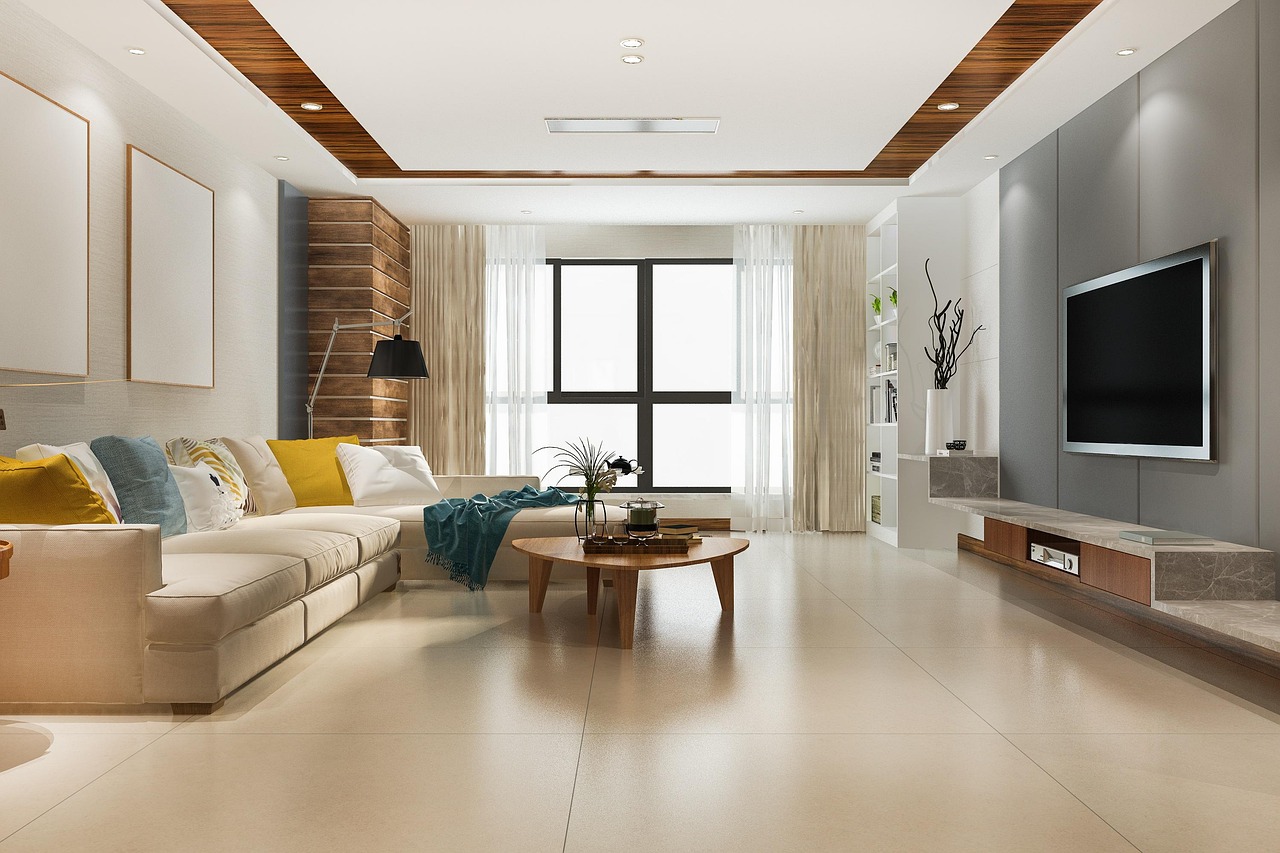
For more ideas on materials, layouts, and built-in storage concepts, browse the Furniture Design section.
Start with viewing comfort before choosing the furniture
The most common mistake in TV furniture planning is choosing a console style before confirming the screen position. A cabinet can look right in the room and still perform poorly if the TV is too high, too far away, too close, or surrounded by glare. The furniture should support the viewing experience, not force the room into an awkward screen height.
For everyday living rooms, designers often use viewing-angle guidance rather than a single fixed distance rule. RTINGS’ TV size guidance, for example, frames mixed-use viewing around a 30-degree field of view and cinema-style viewing around a wider 40-degree field of view. Sony’s viewing guidance for 4K TVs uses a minimum distance of about 1.5 times the screen’s vertical height. These are not decorative rules, but they help explain why larger 4K screens often call for lower, longer furniture and more careful wall planning. (rtings.com)
In practical terms, the center of the screen should usually sit close to seated eye level, especially in rooms used for long viewing sessions. A fireplace-centered layout, tall cabinet, or high decorative niche can push the screen upward and create neck strain. If the TV must sit higher, a tilting mount and a lower seating profile can help, but they do not fully replace a properly planned sightline.
Compare the main TV furniture formats
There is no single correct type of TV furniture. The best choice depends on wall construction, storage needs, rental restrictions, child safety requirements, audio equipment, and whether the living room is formal, family-focused, or multifunctional.
| Furniture format | Works best for | Design strengths | Limitations to check |
|---|---|---|---|
| Low freestanding console | Flexible rooms, renters, changing screen sizes | Easy to install, simple to replace, good for soundbars and consoles | Must be deep and stable enough for the TV; still needs cable control and anchoring |
| Floating TV console | Small rooms and contemporary interiors | Creates visual floor space and makes cleaning easier | Requires secure wall fixing and careful weight planning |
| Full built-in media wall | Long-term homes and storage-heavy living rooms | Combines TV, display shelving, drawers, lighting, and architectural trim | Less flexible if TV size changes; needs ventilation and service access |
| Modular wall system | Growing families and evolving rooms | Can expand or reconfigure over time | Mixed modules can look cluttered without a consistent finish or rhythm |
| Corner TV unit | Rooms with windows, fireplaces, or circulation conflicts | Solves difficult layouts and improves traffic flow | Can reduce viewing symmetry and limit screen size |
A useful rule is to choose the simplest furniture format that solves the actual problem. If the room only needs a soundbar, streaming box, and two drawers, a full wall of cabinetry may feel heavy. If it has to hold games, blankets, books, routers, toys, and seasonal decor, a small console will quickly become overloaded.
Storage, cables, and technology should be planned together
Clean TV furniture design depends on what happens behind the doors. Before choosing a cabinet, list every device that needs power, ventilation, signal access, or remote-control visibility. Common items include a soundbar, game console, streaming device, router, speaker hub, set-top box, external storage, chargers, controllers, and smart home bridges.
Good storage separates items by how they are used. Daily-use accessories should be reachable in shallow drawers or open compartments. Occasional items can sit in closed cabinets. Heat-producing electronics need ventilated compartments, rear clearance, or open shelving. A solid cabinet door may look calm from the sofa, but it can become inconvenient if it blocks remotes, muffles speakers, or traps warm air around electronics.
Built-in power also needs caution. UL Solutions identifies UL 962A as the U.S. standard used to investigate Furniture Power Distribution Units, a category relevant to furniture with integrated power distribution. For homeowners, the design takeaway is straightforward: do not treat built-in outlets, USB ports, or hidden power strips as purely decorative features. Use listed components, keep cords accessible, and avoid routing temporary extension cords as if they were permanent wiring. (ul.com)
- Use rear cable channels wide enough for power, HDMI, Ethernet, and speaker wires.
- Leave removable back panels or access gaps so devices can be serviced later.
- Label cables before closing a wall or cabinet system.
- Keep routers and wireless hubs away from fully enclosed metal compartments.
- Plan one or two spare conduits for future devices or a larger screen.
Safety is a design requirement, not an afterthought
TV furniture safety deserves the same attention as color and proportion. The U.S. Consumer Product Safety Commission’s February 2024 tip-over report estimated that from 2020 through 2022, U.S. emergency departments treated an annual average of 17,800 people for tip-over injuries involving televisions, furniture, and appliances. The same report estimated 14,500 annual injuries in the all-furniture category and 2,600 involving only a television falling. (cpsc.gov)
The fatality data is also relevant to living room planning. Among 217 tip-over fatalities reported to CPSC from January 1, 2013, through July 31, 2023, 103 involved televisions, and most television-related fatalities in that group involved children. CPSC’s Anchor It guidance says televisions should be placed only on furniture designed to hold a TV and that flat-screen TVs should be mounted to the wall or secured to furniture to reduce toppling risk. (cpsc.gov)
For design decisions, this means a media console should be evaluated for width, depth, load rating, wall anchoring options, drawer behavior, and real-world use. A narrow cabinet with tall legs may look elegant in a photograph but be less appropriate in a home with climbing toddlers, active pets, or heavy gaming equipment. Large drawers should glide smoothly and should not encourage children to use them like steps. Heavy objects belong low, not on high open shelves. See also: Building Materials.
Materials, color, and lighting control how dominant the TV feels
The most successful TV furniture designs do not try to make the screen disappear completely. Instead, they reduce visual conflict. Darker back panels can soften the contrast between a black screen and a pale wall. Warm wood, textured laminate, ribbed panels, stone-look surfaces, or matte lacquer can make a media wall feel like furniture rather than a collection of electronics.
Color should respond to the room’s natural light. In a bright room, a deep charcoal or walnut panel can reduce the visual impact of the TV. In a smaller or darker room, a full black wall may feel heavy, so a lighter console with a dark inset panel can be more balanced. If the TV shares a wall with books or display objects, repeat one or two materials from the room so the media area feels intentional.
Lighting should be layered and indirect. Avoid bright downlights directly in front of the screen and glossy finishes that reflect windows. Soft backlighting, shelf lighting, or side sconces can reduce eye fatigue in the evening, but the effect should stay subtle. Houzz’s 2026 design reporting describes lighting and smart systems being embedded into millwork and surfaces, which fits media walls especially well when the wiring is planned before installation. (houzz.com)
A practical planning checklist for TV furniture design
Before ordering a console or approving a built-in drawing, use a checklist that combines screen ergonomics, furniture performance, safety, and future flexibility.
- Measure the viewing distance. Confirm the main sofa position before choosing screen size or cabinet height.
- Set the screen centerline. Keep the center close to seated eye level where possible, especially for long viewing sessions.
- Check wall structure. Floating units, wall panels, and mounts need suitable fixing points and professional installation where necessary.
- Confirm the equipment list. Count every device, cable, controller, speaker, and charger that must fit inside the system.
- Plan ventilation. Heat-producing devices should not be sealed inside tight, unventilated boxes.
- Design for anchoring. Use furniture designed for TVs, follow manufacturer instructions, and secure the TV and furniture where appropriate.
- Allow for future change. Leave space for a slightly larger TV, new soundbar, upgraded console, or extra cable pathway.
- Balance display and hidden storage. Too much open shelving can look busy around a screen; too much closed cabinetry can feel flat.
The best result is usually a quiet, practical composition: a long horizontal base, clear cable paths, a stable screen position, closed storage for clutter, a few open niches for display, and lighting that supports the room rather than turning the TV wall into a showroom.
Frequently asked questions
What height should TV furniture be?
For most living rooms, choose furniture that allows the center of the TV to sit near seated eye level. Very tall consoles can push the screen too high, especially with large TVs. If the screen is wall-mounted above furniture, treat the console as a visual anchor rather than the height reference.
Is a floating TV console better than a freestanding one?
A floating console can make a room feel lighter and easier to clean, but it depends on wall strength, installation quality, and storage needs. A freestanding console is usually more flexible and easier to replace. In homes with children, either type still needs careful attention to anchoring, load limits, and TV stability.
How wide should a TV stand be?
As a visual rule, the stand or console should usually be wider than the TV. A wider base makes the composition feel stable and leaves room for a soundbar, decor, and side clearance. The manufacturer’s load rating and the TV’s actual stand footprint matter more than appearance alone.
Are built-in media walls still useful if TVs keep changing?
Yes, but the design should allow change. Leave extra screen clearance, use removable panels, avoid overly tight niches, and plan accessible cable routes. A built-in that fits only one exact TV size can date quickly, while a flexible panel-and-console system can adapt over time.
What is the easiest way to make TV furniture look less cluttered?
Hide the items that create visual noise: cables, remotes, chargers, small electronics, game controllers, and packaging. Use closed drawers for accessories, ventilated compartments for devices, and only a few open shelves for objects with enough scale to balance the screen.